viko/abilitiesProduct

One reference image, eight creative abilities

Viko doesn't just tell you what's in the image — it shows you why the image works, then lets it keep growing.

fig.02Deconstruct

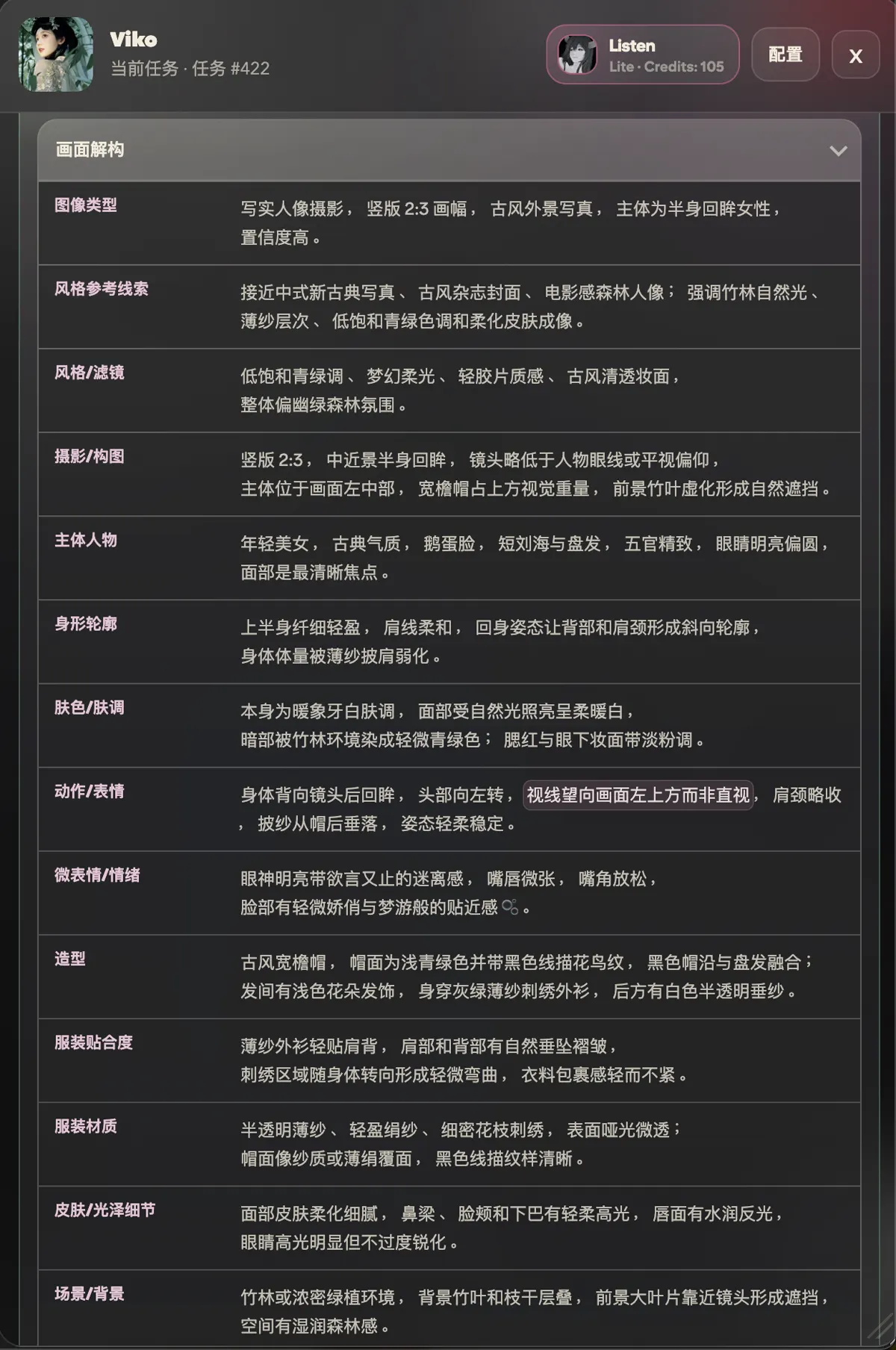
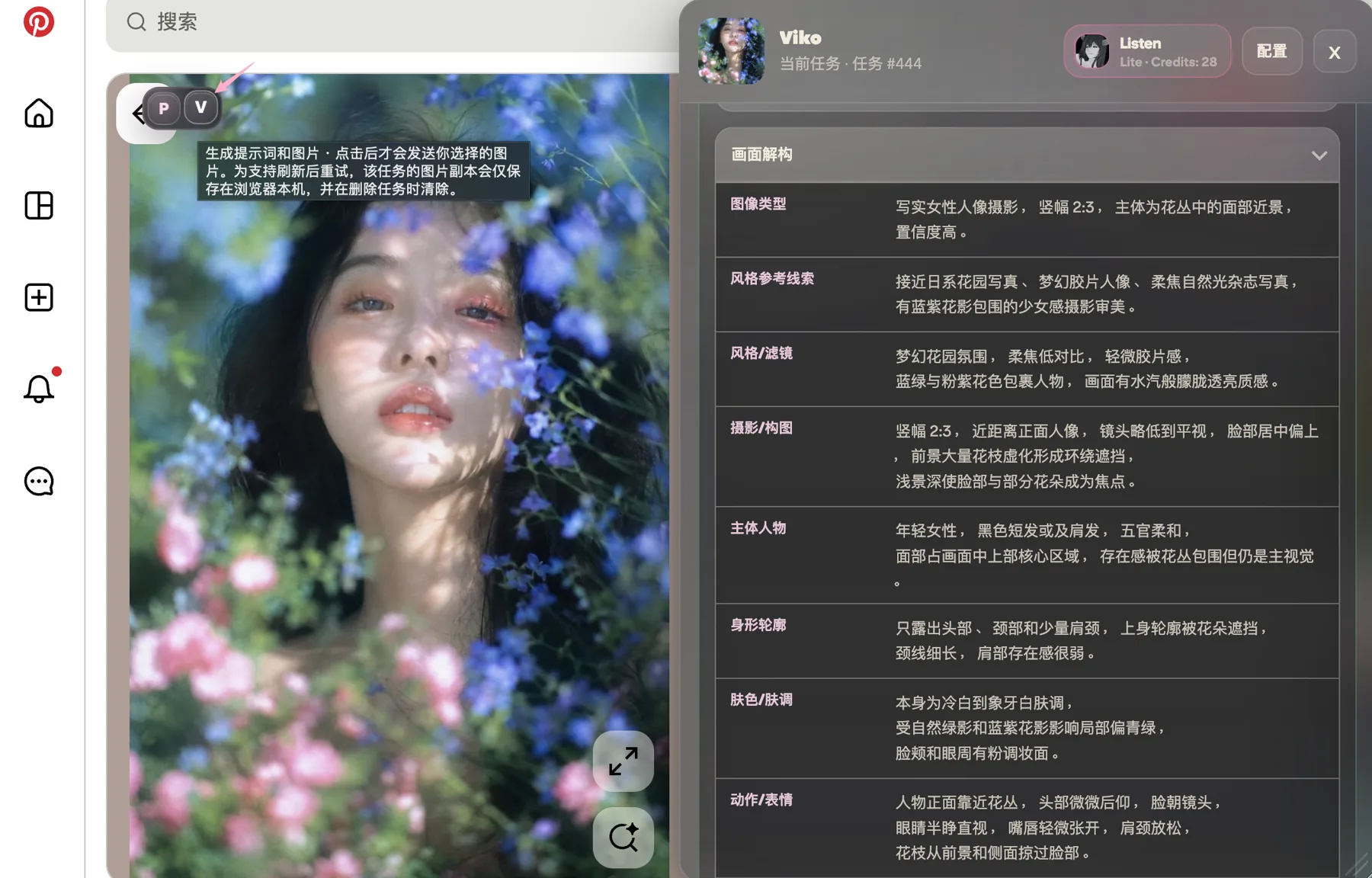
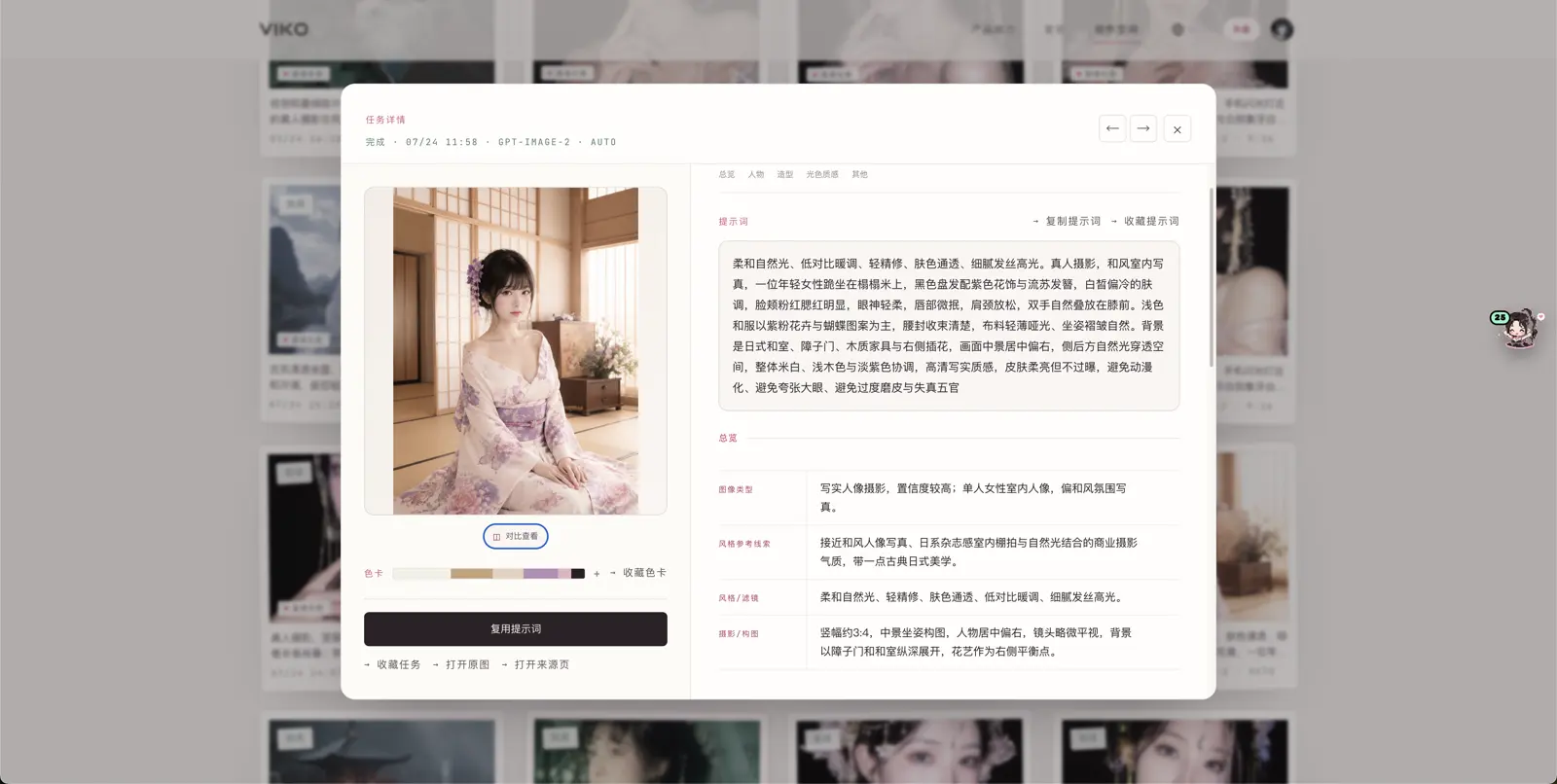
Deconstruction

The reference is broken into what creators actually need, item by item.

  1. 01Style type
  2. 02Composition
  3. 03Lighting design
  4. 04Color relationships
  5. 05Image texture
  6. 06Subject–background relation
  7. 07Lens language
  8. 08Mood & atmosphere
  9. 09Transferable visual keywords
fig.02 — the deconstruction panel: nine dimensions unfoldingfig.02 — the deconstruction panel: nine dimensions unfolding
fig.03Reverse Prompt

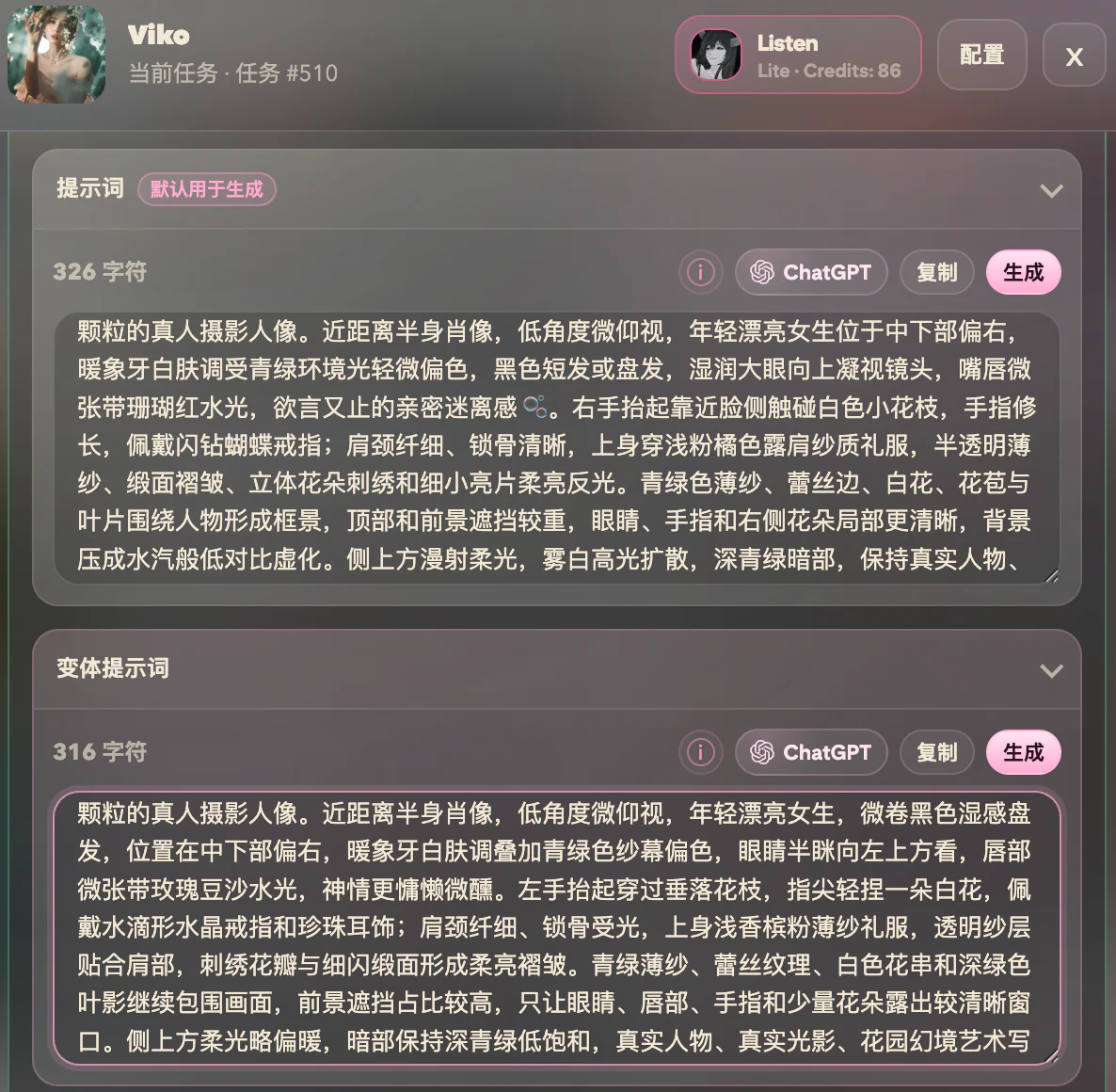
Reverse prompt

Natural-language prompts written for GPT image models — made for creating, not mechanical reproduction.

  1. 01Natural language and keyword phrases
  2. 02Absolutely no JSON
  3. 03The frame's core character preserved
  4. 04Translated into words you can keep creating with
Input: a reference image on any webpage{"style":"..."} — never this

fig.03 — the prompt writes itself in natural language
fig.04Variations

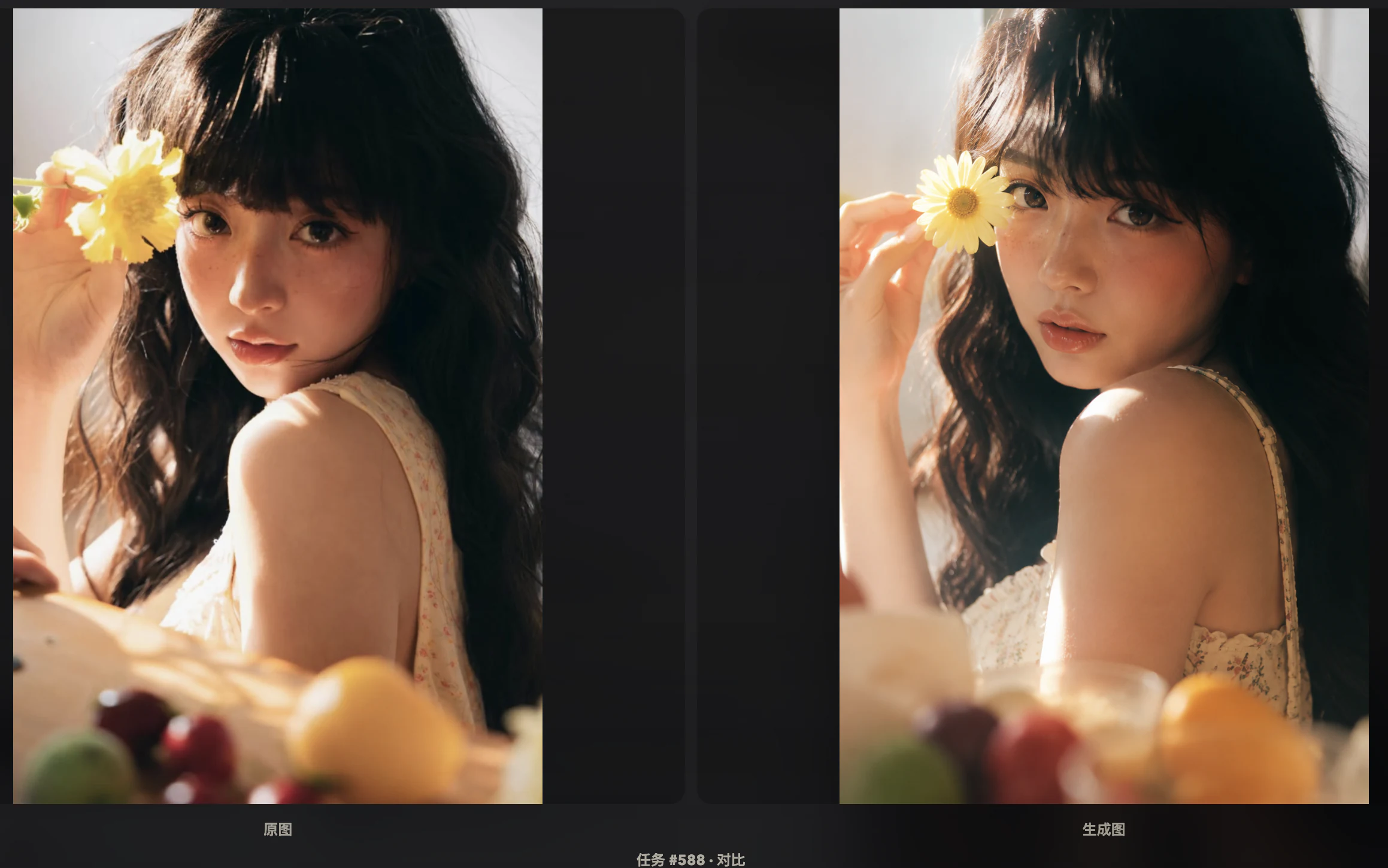
Variations

New creative directions that keep the original's core character.

  1. 01Same style, different subject
  2. 02Same composition, different scene
  3. 03Same light, different story
  4. 04Same palette, different commercial use
  5. 05A series inside one visual system
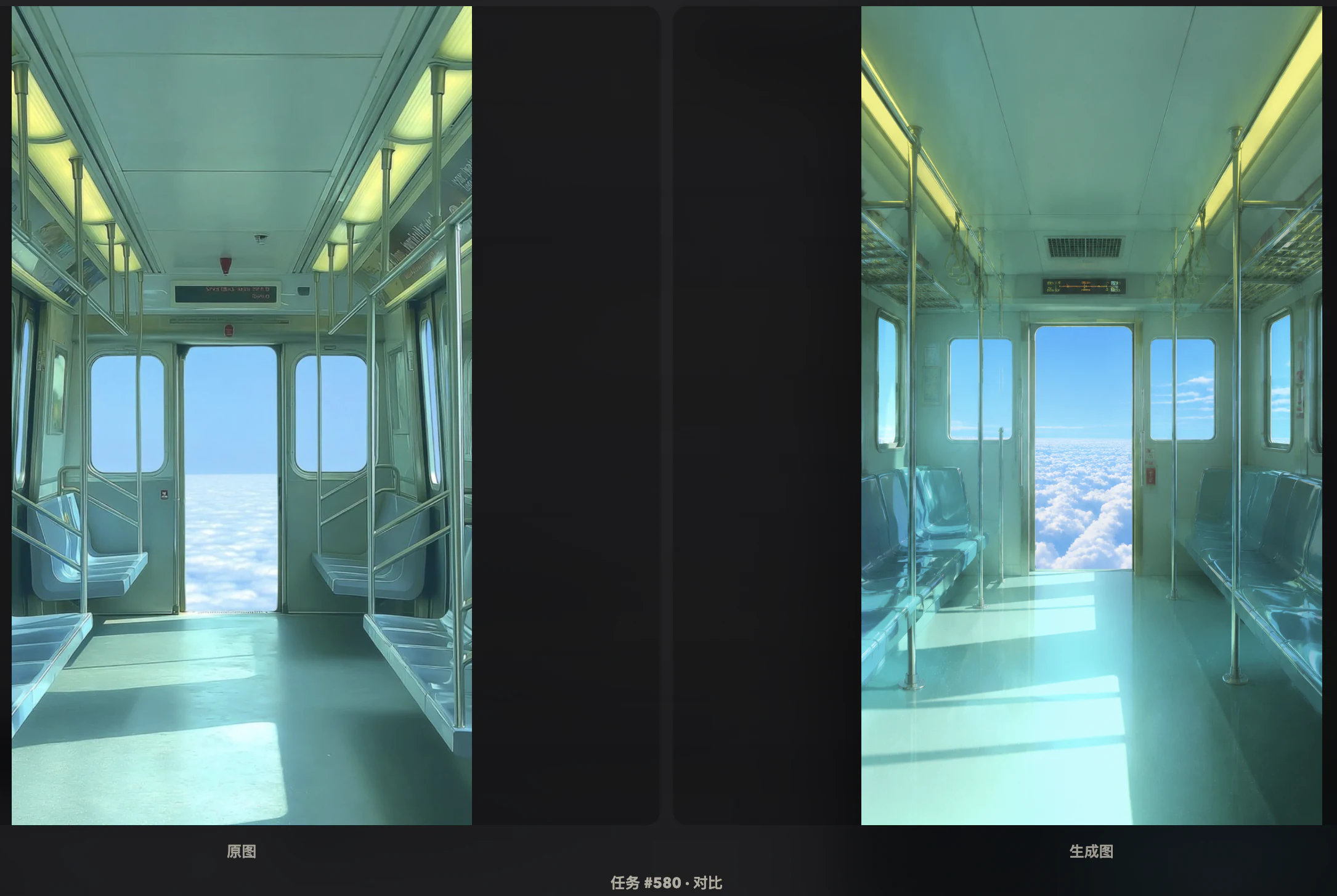
fig.01 — reference
  • v.1Same style, different subject
  • v.2Same composition, different scene
  • v.3Same light, different story
  • v.4Same palette, different commercial use
fig.04 — four directions branched from one image
fig.05Generate

Direct generation

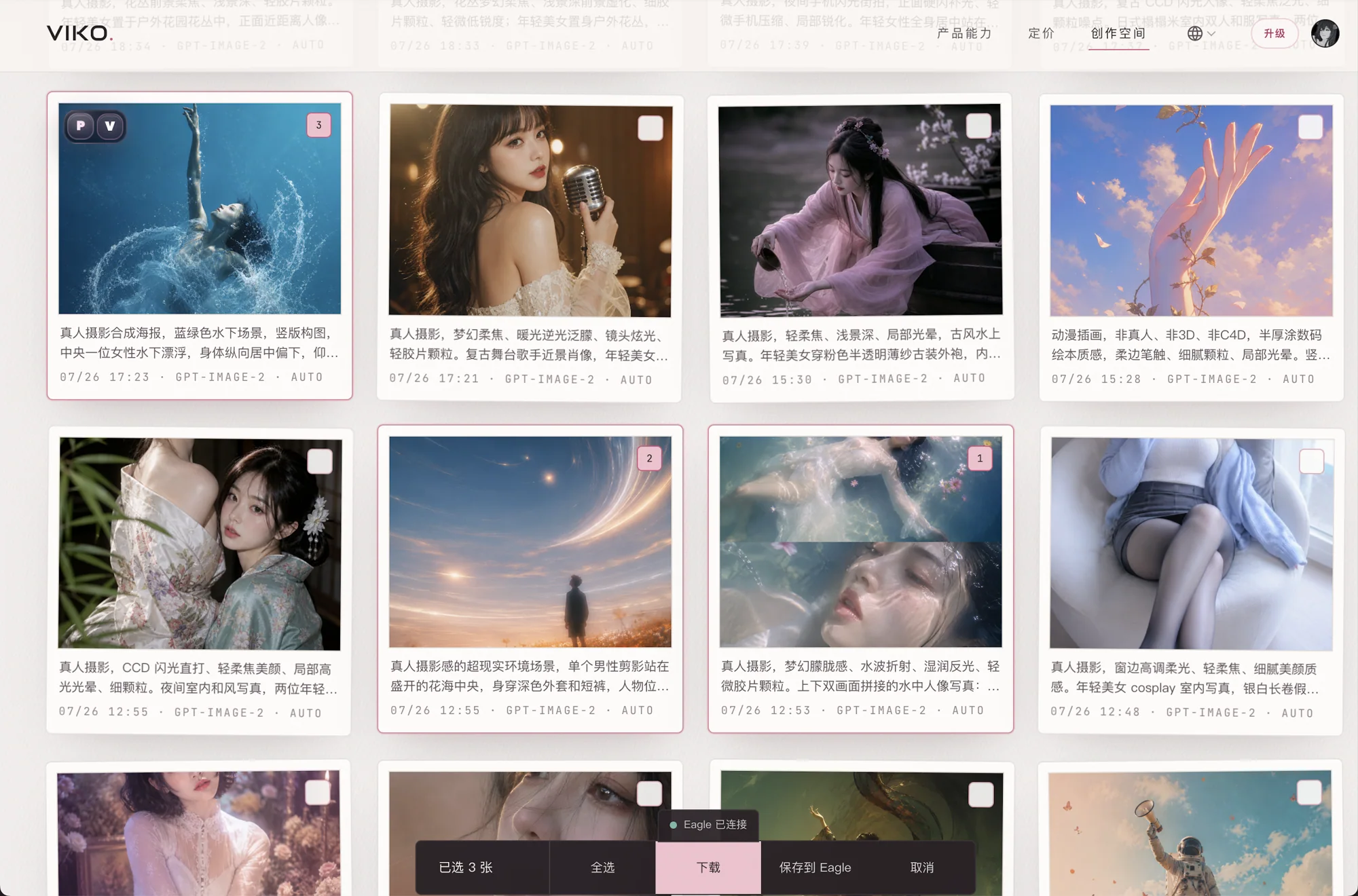
Reference to prompt to new image — one continuous flow, no copy, switch or paste.

  1. 01One click from reference to new image
  2. 02Validate prompt quality instantly
  3. 03Inspiration capture wired straight into generation
fig.05 — the result panel: new images land on the same pagefig.05 — the result panel: new images land on the same page
fig.06Palette

Palette

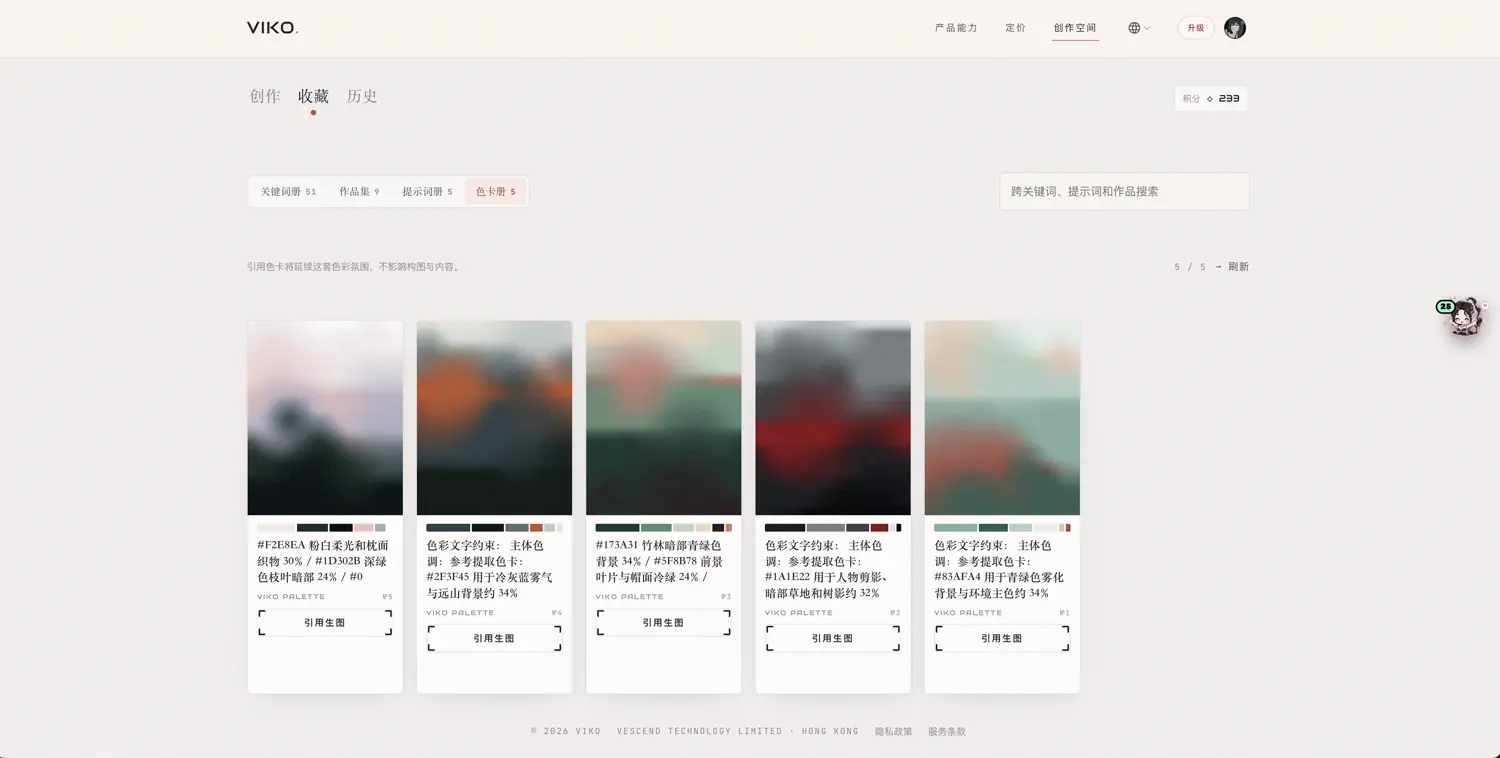
Extract an image's color order to carry one visual atmosphere across works.

  1. 01Poster color analysis
  2. 02Color transfer for commercial images
  3. 03Visual unity across a series
  4. 04Brand style reference
#F6D7DC
blush
#E8B7C1
petal
#C98A96
rosewood
#8A5A63
mauve
#5A3D44
cocoa
#2E2226
ink
#F3E6DF
cream
#E9D5C6
lamp
fig.06 — the palette extracted from a reference, saved with the asset
fig.07Pose Reference

Pose reference

Complex poses and perspective, made legible to models.

  1. 01Dynamic character poses
  2. 02Anime action reference
  3. 03Difficult camera angles
  4. 04Complex body relationships
fig.07 — the pose skeleton: what plain prompts can't express
fig.08Save to Eagle

Save to Eagle

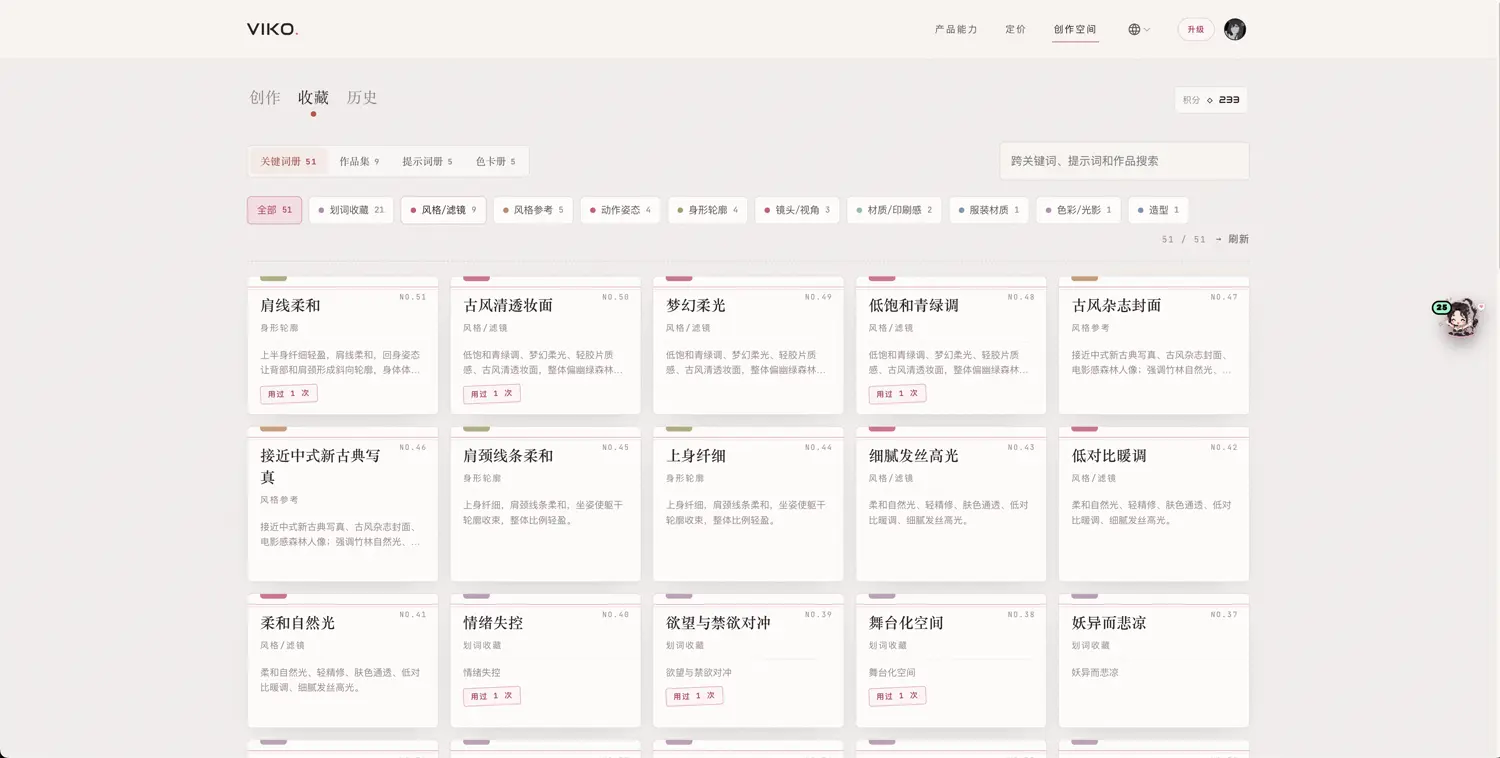
Good images shouldn't end as temporary screenshots — keep them as manageable creative assets.

  1. 01Image, prompt and deconstruction settle together
  2. 02Easy to categorize, search and reuse
  3. 03Built for a long-term personal visual knowledge base
fig.08 — the Eagle library: prompts and palettes filed with each imagefig.08 — the Eagle library: prompts and palettes filed with each image
fig.09Sync & Concurrency

Cloud sync & concurrency

Workflow infrastructure on paid tiers: consistent across devices, many tasks at once.

  1. 01Prompts, deconstructions and history synced across devices
  2. 02Multiple images processed in parallel — no queueing
fig.09 — infrastructure for high-intensity creation

See a good image? Viko it.

Install the browser extension and start deconstructing on any page you already browse.