Colors and relationships
See the main colors, their proportions and their roles in the composition.
Color palette extractor
Enable palette mode in the Viko extension to extract and save a reference's color palette. Apply it to your next generation while choosing a new subject and setting.
The extension requires desktop Chrome. Already have an account? Open the studio
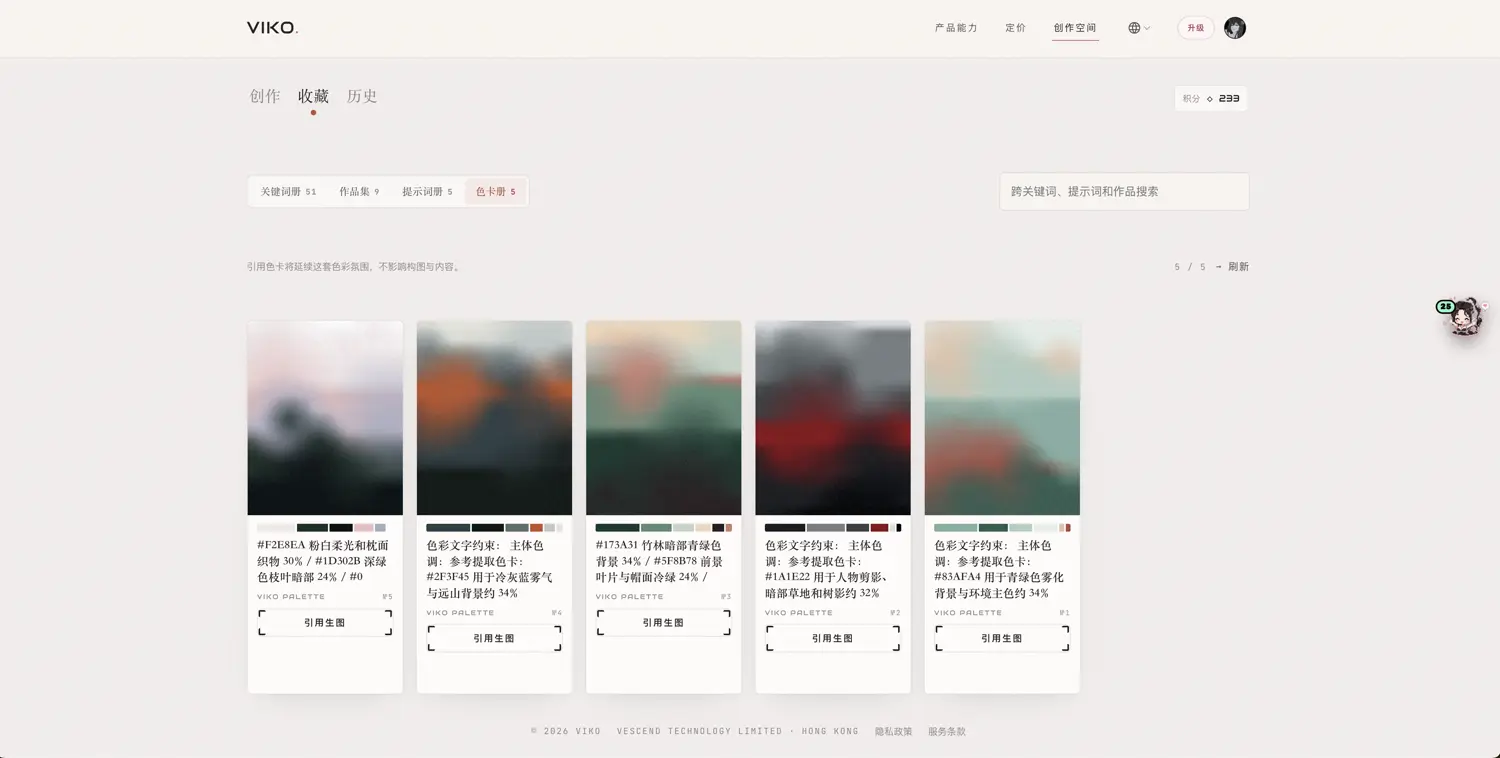
Two visible entries from the third saved palette in the screenshot. Percentages are that analysis's output, not a complete palette or a promise that generated pixels will match these values.
| HEX | Role in the image | Share |
|---|---|---|
| #173A31 | Deep green bamboo-background shadows | 34% |
| #5F8B78 | Cool green background leaves and hat surface | 24% |
See the main colors, their proportions and their roles in the composition.
Save, name and search useful palettes instead of finding the same references again.
Carry a color mood into a new creation while your prompt defines the subject and setting.
Install the extension, sign in and enable palette mode in settings. It is off by default.
Reverse a reference image and save its returned palette. Palette operations have no additional credit cost; the reverse action has its normal cost.
Enable the palette reference for a task or select it in the studio's palette library. Image generation still uses the normal generation credits.
CREATIVE NOTES
If a landscape's muted greens and warm orange accents work for your project, save its palette and use it as a reference for a new portrait or product scene.
FAQ
Palette referencing targets color relationships and lighting mood. The subject, content and composition are driven by your prompt and other references.
Extraction, saving, collecting and referencing a palette have no additional credit cost. Reverse prompting and image generation retain their normal charges.
Yes. Studio batch generation supports palette references. Each prompt, model and composition still affects its result.
It is designed for visual creation and AI image references. Validate strict brand, print or color-managed requirements in dedicated software.