What the detail holds
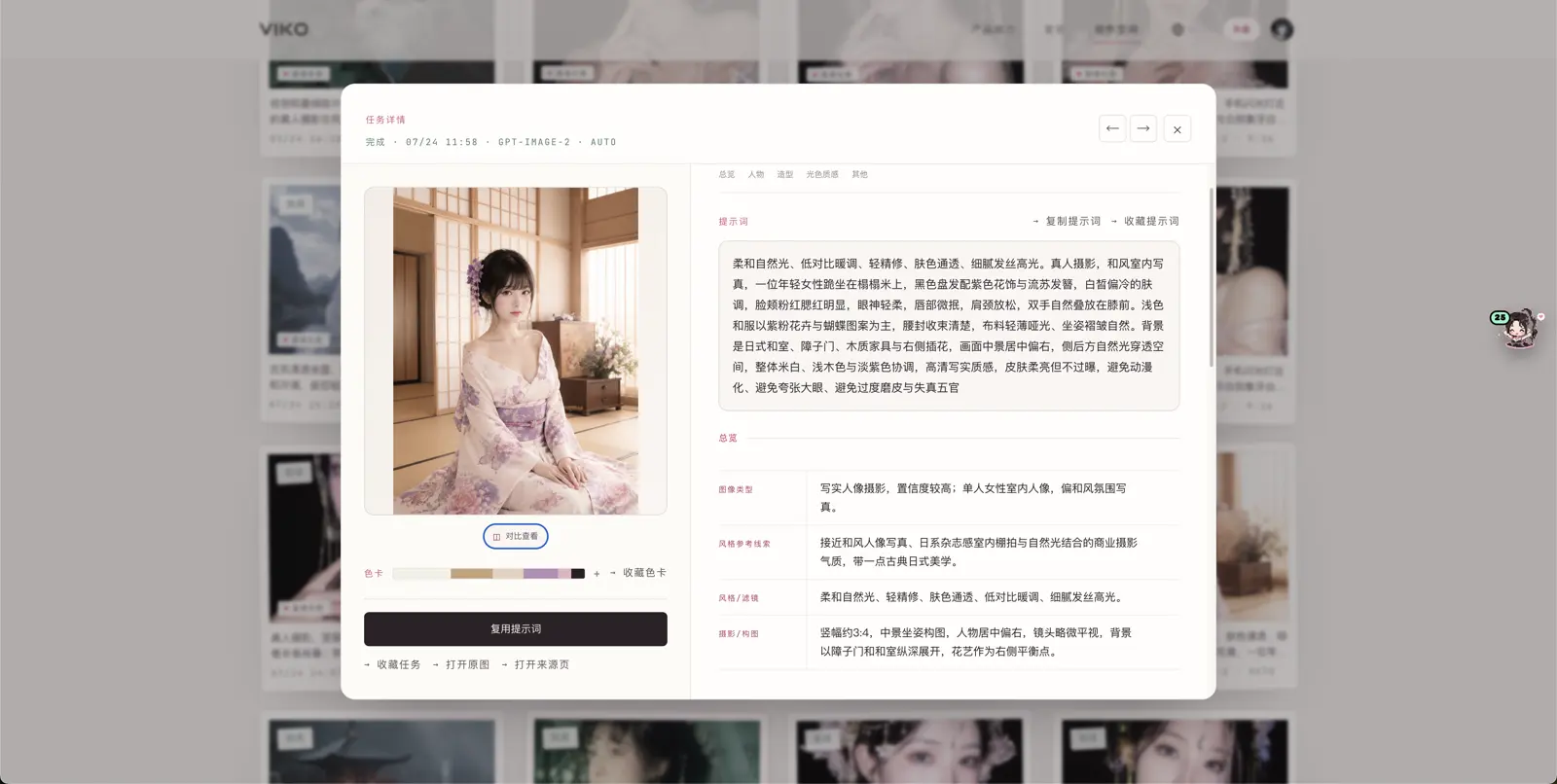
| Information | Notes |
|---|---|
| Prompt & variant prompt | The full reversed prompts, savable into the prompt book |
| Breakdown groups | Breakdown phrases by dimension, savable as keyword cards |
| Palette | Extraction result when palette mode was on, savable |
| Source image & page | The reference and the page it came from |
| Creation settings | Model, aspect ratio, resolution and reference switches used |
| Previous / next | Flip through neighbouring tasks without going back to the list |
Compare reference and result side by side
Put the reference and the generated image side by side and check composition, pose, light-color and texture against your expectations:
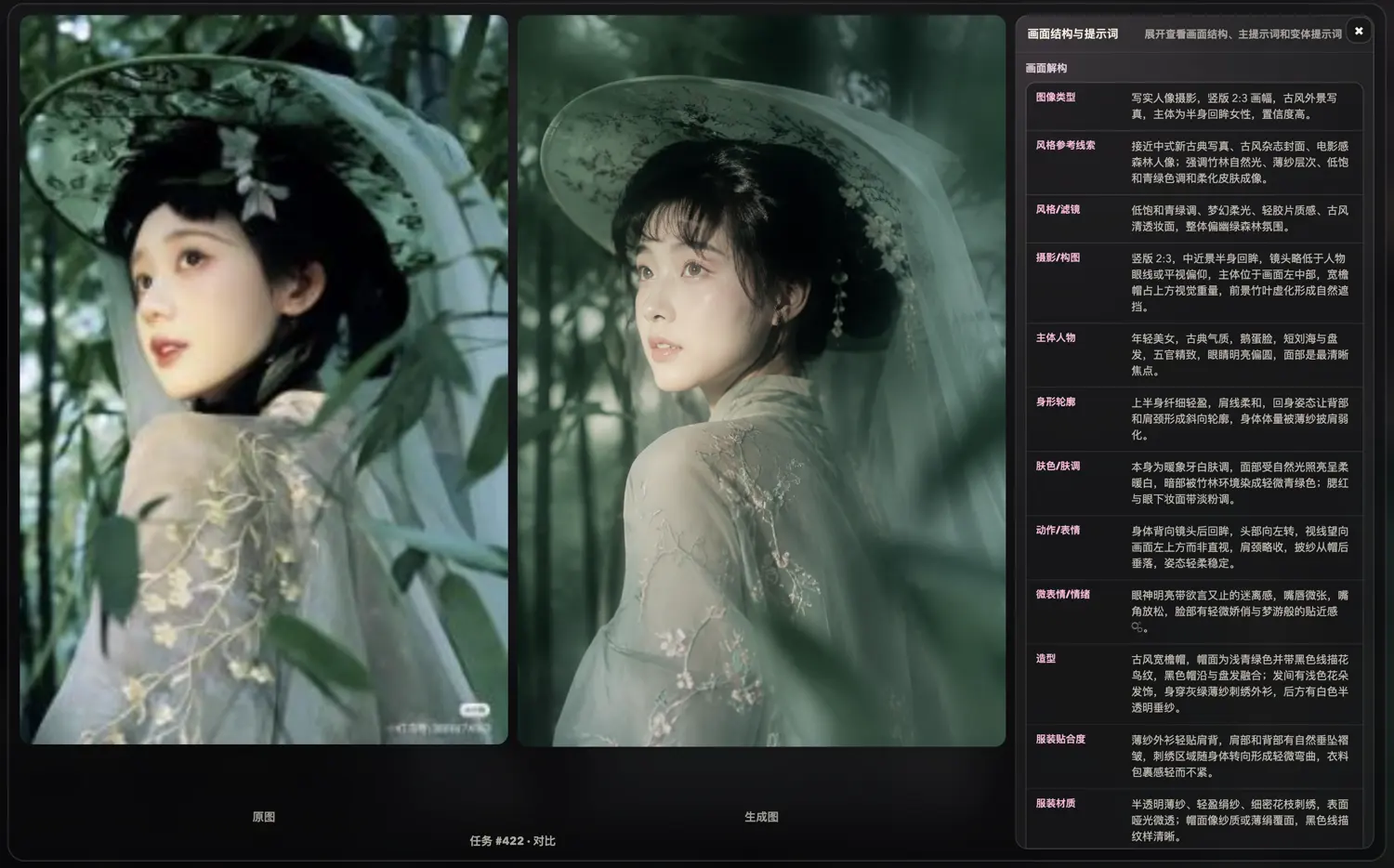
When one dimension is off, fix that clause in the prompt — far more effective than rewriting the whole thing.
Actions from the detail
- Save the prompt / phrases / palette (0 credits);
- Archive into works;
- Download the original;
- Save to Eagle;
- Continue creating from the current prompt (6 credits per image).