The five parts of the composer
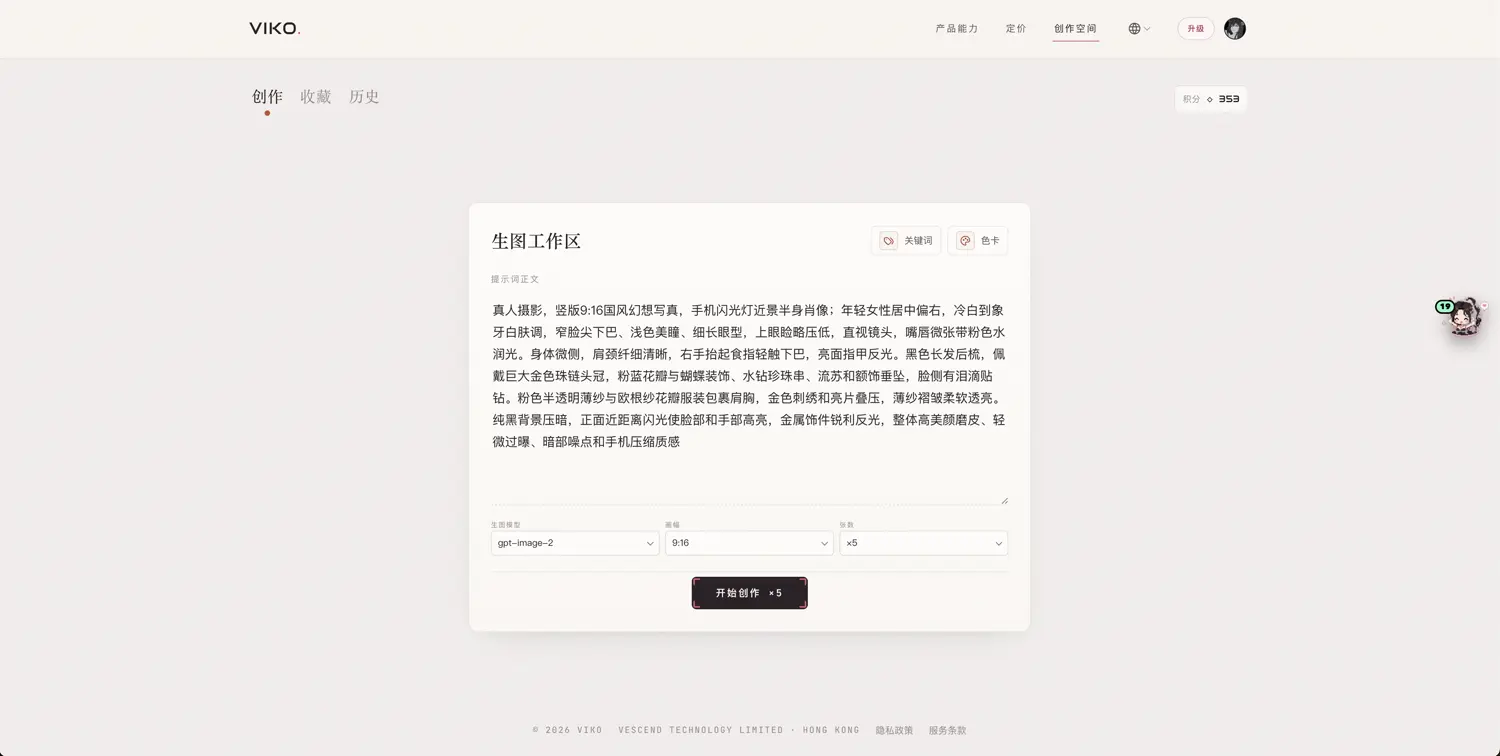
| Area | Role |
|---|---|
| Keyword tray | Receives cards from the keyword book and the deck; dedupe, remove or clear |
| Prompt text | Free-form description of subject, scene, composition, light and texture |
| Parameters | Image model, aspect ratio, image count, resolution (currently 1K), palette reference |
| Credit precheck | Verifies your balance covers the whole batch before submitting |
| Session easel | Shows only tasks completed in this session with real generated images |
Cards carry the skeleton (style, subject, composition — the decided elements); the prompt text fills in the specific scene. The two merge into the final prompt.
Batch size
The per-batch maximum depends on your plan: Free 1, Lite 3, Plus 5, Pro 10 — see the plan comparison. Each image costs 6 credits.
Credit precheck
- Before submitting, the batch cost is computed as image count × 6, plus pose reference if enabled;
- If the balance falls short you are told before submission — no charge-then-fail;
- After submission the reserve-and-settle rules apply; failed images are refunded automatically.