What it is and what it costs
After a reverse (1 credit), you get the prompt plus an image breakdown: the image taken apart into structured dimensions. The breakdown is included in the reverse — no extra credits.
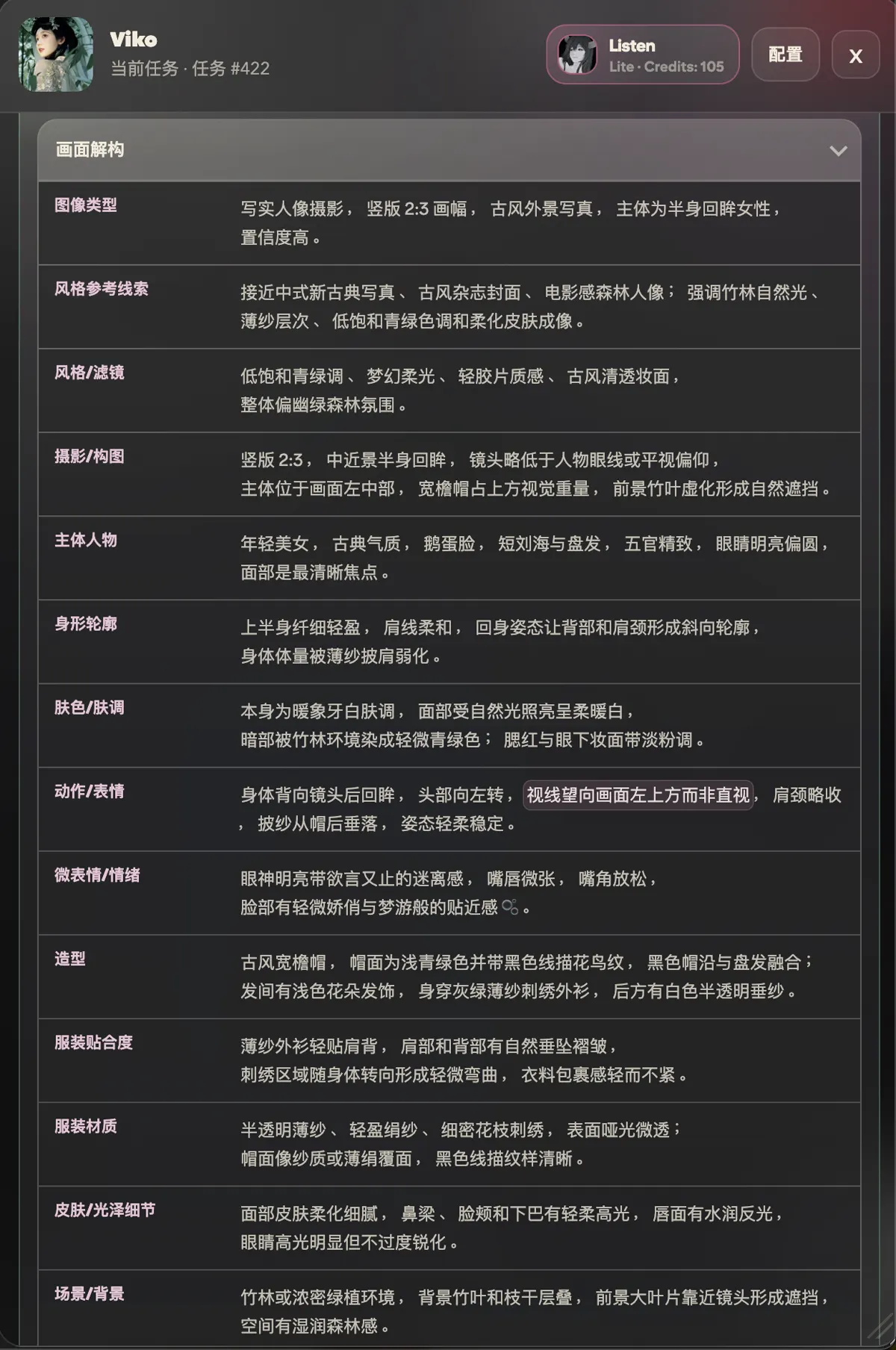
Dimensions depend on the image type
The breakdown is not a fixed template. Viko first classifies the image, then picks a dimension set that fits:
| Image type | Typical dimensions |
|---|---|
| Portrait photography | Subject, pose/expression, styling, body silhouette, skin tone, lighting/color, rendering texture |
| Illustration / anime | Art style & linework, character design, face archetype, eye design, costume & props |
| Poster / layout | Layout hierarchy, layer stack, typography, graphic element roles, color system, composition rhythm |
| Product shot | Product subject, selling point, brand mood, material & print feel |
| General | Image type, style reference cues, photography/composition, scene/background, visual details, generation priority, failure risks |
Every line under a dimension is an independent phrase that can be saved on its own.
Save breakdown phrases as keyword cards
- Click any phrase you find valuable;
- It is saved to your keyword book immediately (0 credits), with its category and source;
- In the studio it can join the tray or the brainstorm deck — see the glossary for these terms.
Extra output when palette mode is on
With palette mode enabled in settings, the breakdown also returns the image's palette (dominant colors, roles and ratios), also at 0 credits. Off by default.