Before you start: the extension is installed and signed in, and your account has at least 7 credits.
Step 1: reverse a reference image (1 credit)
- On any page (say, Pinterest), hover an image you like;
- Click P (create prompt) on the floating ball that appears;
- After a few dozen seconds the panel shows a structured image breakdown and a natural-language prompt ready for generation.
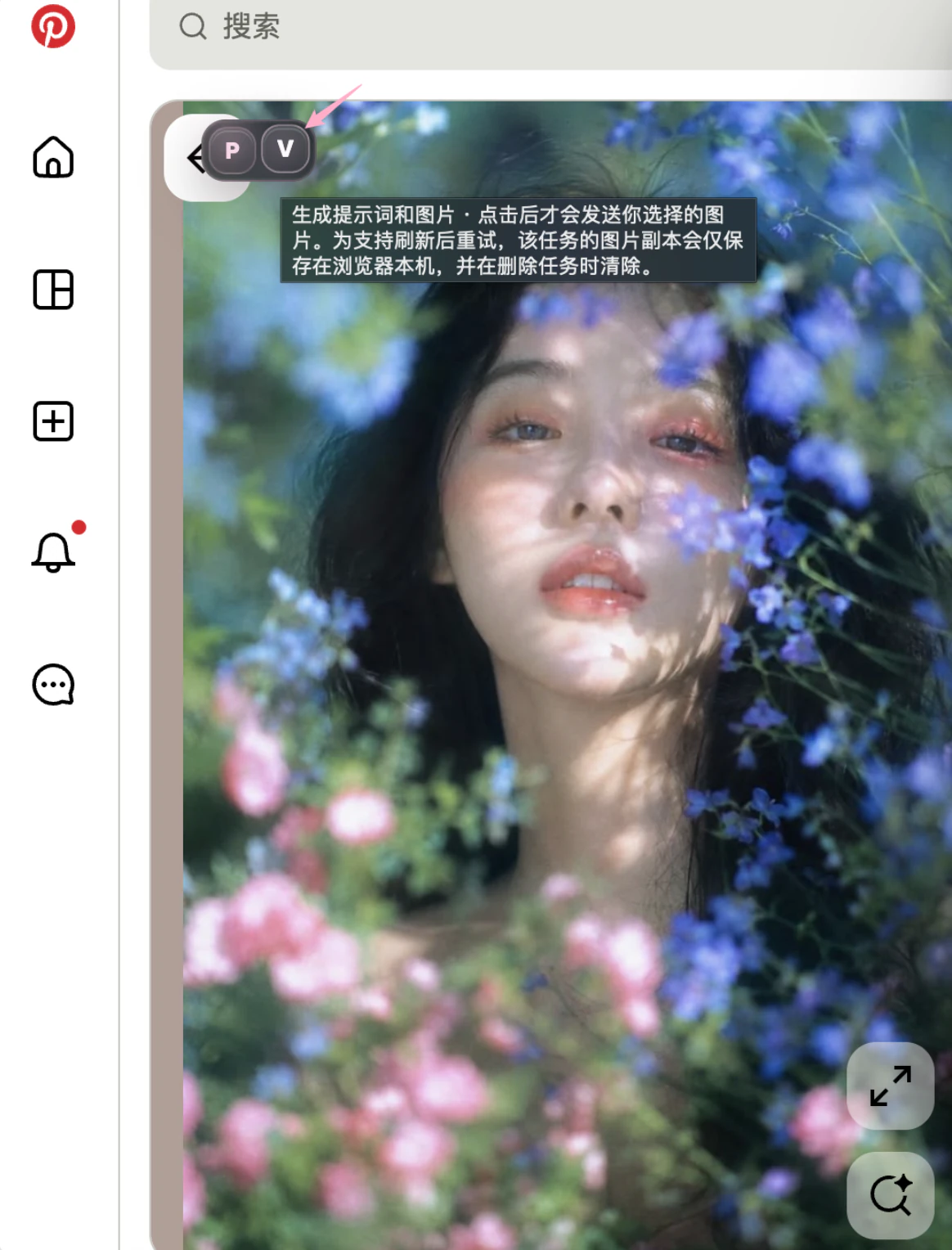
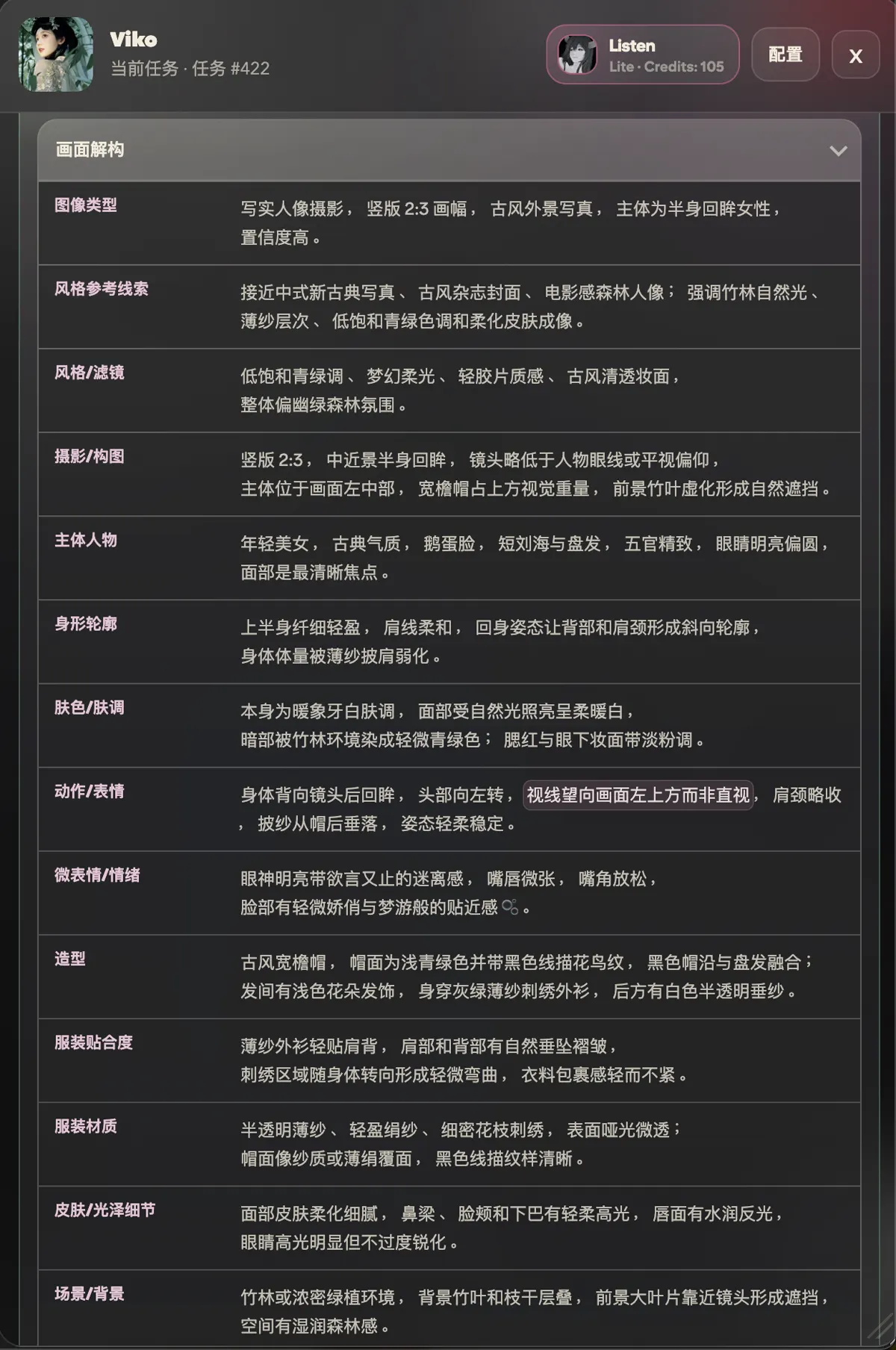
What each breakdown dimension means is defined in the glossary.
Step 2: save one breakdown phrase (0 credits)
- In the breakdown, click any phrase you find valuable;
- The phrase is saved to your keyword book and can be reused in the studio at any time.
Step 3: generate from the reversed prompt (6 credits)
- Click Generate in the reverse panel;
- Pick an aspect ratio; output is currently 1K resolution;
- After submitting, the task keeps running in the cloud — closing the page does not affect it. Come back to the panel to see the result.
To skip the middle steps entirely, click V (create prompt and image) on the floating ball — reverse and generation in one go.
Step 4: review and keep it in the studio
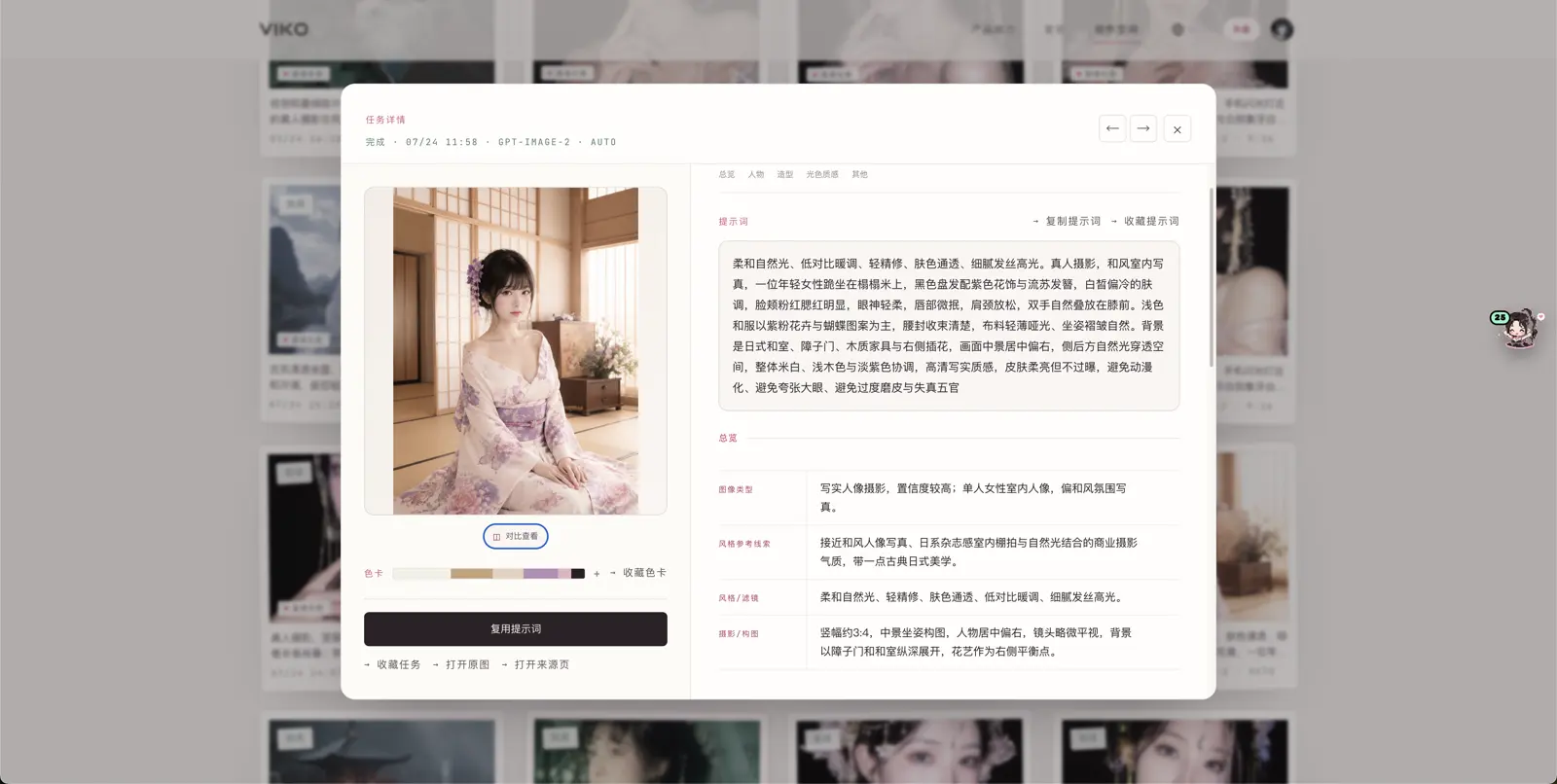
- Open the studio — the task appears under History;
- Open the task detail to see the prompt, the breakdown, the source image and the result side by side;
- Save results you like into your works, and keep prompts that proved effective in the prompt book.
What this cost
| Action | Credits |
|---|---|
| Reverse | 1 |
| Generate 1 image (1K) | 6 |
| Saving phrases, organising assets | 0 |
| Total | 7 |
If a task fails, reserved credits are refunded automatically — see the task states dictionary.
Next: spend five minutes on Viko's two surfaces — batch creation builds on that structure.